
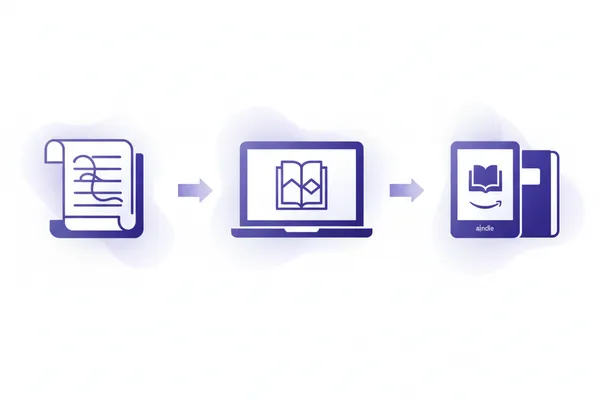
Publishing a book used to require months of writing, thousands of dollars in professional services, and a fair amount of luck. In 2026, none of that is true anymore. With AI book generation tools and Amazon's Kindle Direct Publishing platform, you can go from a rough idea to a published, revenue-generating book in a single afternoon — and the total cost can be as low as $4.99.
This guide walks you through the entire process of publishing an AI-generated book on Amazon, from the legal requirements and content creation to upload, pricing, and marketing. Whether you are a first-time author exploring a new side income or a content creator looking to expand into books, this step-by-step walkthrough covers everything you need to know to get your AI book live on the world's largest bookstore.
We will cover the legality of selling AI-generated books, walk through each step of the process using DraftZero, explain how KDP Select and Kindle Unlimited work, discuss pricing strategy for maximum royalties, and flag the common mistakes that trip up new publishers.
Is It Legal to Publish AI-Generated Books on Amazon?
This is the first question almost everyone asks, and the answer is straightforward: yes, Amazon allows AI-generated content on KDP. However, there are specific rules you need to follow.
Amazon's Current AI Content Policy
As of 2026, Amazon KDP requires authors to disclose AI involvement when publishing a book. During the manuscript upload process, you will encounter a section where you must indicate whether AI tools were used to create your content. Amazon distinguishes between two levels of AI involvement:
- AI-assisted content: You used AI as a tool during the creative process — for brainstorming, outlining, drafting, editing, or refining your text. A human author was meaningfully involved in shaping the final output.
- AI-generated content: The text or images were substantially produced by an AI tool, even if a human provided the prompts and made edits afterward.
You are required to select the appropriate disclosure when uploading. Failing to disclose AI involvement can result in your book being removed or your KDP account facing penalties. The good news is that disclosure does not negatively affect your book's visibility or ranking on Amazon. It is purely a transparency requirement.
What About Copyright?
Copyright law around AI-generated content continues to evolve, but here is what matters for practical purposes. When you create a book using DraftZero, you retain full rights to the generated content. You own it. You can publish it, sell it, modify it, translate it, and distribute it on any platform you choose. There are no licensing restrictions or royalty sharing with DraftZero after generation.
The US Copyright Office has indicated that works with sufficient human authorship — including selection, arrangement, and editing of AI outputs — may qualify for copyright protection. By reviewing, editing, and curating the content your AI tool produces, you strengthen your copyright claim. This is one of several reasons why we strongly recommend editing your AI-generated manuscript before publishing, beyond the obvious quality benefits.
Key takeaway: Publishing AI-generated books on Amazon is fully allowed. You must disclose AI involvement during upload. You retain full rights to content generated with DraftZero. Always review and edit your manuscript before publishing to improve quality and strengthen your copyright position.
Step-by-Step: From Idea to Published Book
Now let us walk through the complete process of creating and publishing an AI-generated book on Amazon KDP. The entire workflow can be completed in a few hours, and the only cost is $4.99 for generating your book with DraftZero.
1 Generate Your Book with DraftZero
The first step is creating your manuscript. With DraftZero, this takes minutes rather than months. Here is how it works:
- Enter your book title: Choose a title that clearly communicates what your book is about. For nonfiction, descriptive titles with relevant keywords perform best on Amazon. For fiction, a compelling title paired with a strong subtitle works well.
- Select your genre: DraftZero offers a wide range of genres including fiction categories like romance, mystery, science fiction, and fantasy, as well as nonfiction categories like self-help, business, health, and how-to guides.
- Configure your book: Choose the number of chapters, overall length, and writing style. You can select a tone that matches your vision — whether that is conversational and accessible, formal and authoritative, or creative and literary.
- Generate: DraftZero's AI creates your full first draft, including a table of contents, chapter structure, and fully written content throughout. Generation typically takes from about 15 minutes to a few hours depending on length.
The result is a complete, structured book that reads naturally and covers your chosen topic comprehensively. But it is not finished yet — the next step is crucial.
2 Review and Edit Your Manuscript
This is arguably the most important step in the entire process, and it is the step that separates successful AI-published authors from the rest. Never publish an AI-generated manuscript without reviewing and editing it first.
DraftZero includes a built-in editor that lets you review your book chapter by chapter. Here is what to focus on during your review:
- Accuracy: Verify any facts, statistics, or claims in the text. AI can occasionally produce plausible-sounding but incorrect information. For nonfiction especially, fact-checking is essential.
- Voice and tone: Make sure the writing sounds consistent throughout. Add your personal perspective, anecdotes, or expertise where appropriate. This is what transforms generic AI output into a book that feels authentically yours.
- Flow and structure: Read through each chapter to ensure ideas connect logically. Move, add, or remove sections as needed. The AI provides a strong foundation, but your editorial eye refines it.
- Repetition: AI-generated text can sometimes repeat similar points across chapters. Watch for redundancy and trim or rephrase where needed.
- Opening and closing: Pay special attention to your introduction and conclusion. These are the sections readers are most likely to preview before purchasing, so they need to be compelling.
How much editing is enough? That depends on your goals. At minimum, read through the entire manuscript once and correct any obvious errors. For a more polished result, plan to spend a few hours making substantive edits. Some authors treat the AI output as a detailed first draft and rewrite significant portions in their own voice. The more of yourself you put into the editing process, the better the final product.
3 Download Your EPUB or PDF
Once you are satisfied with your edits, download your manuscript from DraftZero. The platform provides files in EPUB and PDF formats, both of which are already formatted for KDP publishing. The EPUB includes:
- A properly structured table of contents with working navigation links
- Consistent chapter headings and formatting throughout
- Clean EPUB structure compatible with KDP's EPUB format (does not guarantee Amazon approval)
- Proper metadata including title, author name, and language
You do not need to reformat the file or use additional software. The EPUB from DraftZero is formatted for direct upload to KDP. If you prefer to make additional formatting changes, you can open the EPUB in any ebook editing application, but for most authors the default formatting works perfectly.
4 Create Your KDP Account
If you do not already have a Kindle Direct Publishing account, creating one is free and takes about 10 minutes. Go to kdp.amazon.com and sign in with your existing Amazon account, or create a new one.
During account setup, you will need to provide:
- Your legal name or business name: This is for tax and payment purposes, not necessarily displayed on your books.
- Address and phone number: Required for tax documentation.
- Bank account details: Where Amazon will deposit your royalties. Payments are made monthly, approximately 60 days after the end of each reporting month.
- Tax information: US-based authors complete a W-9. International authors complete a W-8BEN. Amazon walks you through this during setup. Completing tax information promptly avoids a 30% withholding on US sales.
Your KDP account is completely free. There are no subscription fees, no listing fees, and no annual charges. Amazon makes money by taking a percentage of each sale, not by charging authors to participate.
5 Upload Your Manuscript and Cover
With your KDP account ready, it is time to create your book listing. Click "Create New Title" and select "Kindle eBook" to begin. The process has three main sections:
Book Details:
- Enter your title and subtitle. Your subtitle is a valuable opportunity to include relevant keywords.
- Add your author name. You can use a pen name if you prefer.
- Write a compelling book description. This is your sales copy — it should hook potential readers and clearly communicate what they will get from your book. Use HTML formatting to add bold text, line breaks, and bullet points.
- Select up to three browse categories. Choose categories that are relevant but not overly competitive. Niche categories give you a better chance of ranking on bestseller lists.
- Add up to seven keywords. These are search terms readers might use to find your type of book. Research what terms are popular in your genre.
- AI-generated content disclosure: This is where you indicate AI involvement. Select the appropriate option honestly.
Manuscript Upload:
- Upload the EPUB file from DraftZero.
- Use Amazon's online previewer to check how your book looks on different Kindle devices. Verify the table of contents, chapter breaks, and text formatting.
Cover Upload:
- You can upload a pre-designed cover image (recommended dimensions: 2560 x 1600 pixels for a 1.6:1 ratio) or use Amazon's built-in Cover Creator tool. A professional-looking cover dramatically impacts sales, so invest time here even if you use a free design tool.
6 Set Your Pricing and Royalty Plan
KDP offers two royalty tiers, and choosing the right one has a significant impact on your earnings:
| Royalty Plan | List Price Range | Your Royalty | Best For |
|---|---|---|---|
| 35% Royalty | $0.99 - $200.00 | 35% of list price | Short content, loss-leader pricing |
| 70% Royalty | $2.99 - $12.99 | 70% of list price minus delivery cost | Most books (strongly recommended) |
For most AI-generated books, the 70% royalty tier is the clear winner. To qualify, price your ebook between $2.99 and $12.99. A delivery cost (based on file size, typically $0.01-$0.06) is subtracted from the 70% royalty.
Here is what typical earnings look like at different price points in the 70% tier:
- $2.99 list price: Approximately $2.09 per sale. Good for impulse buys and building an audience.
- $3.99 list price: Approximately $2.79 per sale. A strong balance of volume and revenue.
- $4.99 list price: Approximately $3.49 per sale. Common for nonfiction and full-length novels.
- $9.99 list price: Approximately $6.99 per sale. Works for high-value nonfiction and established authors.
A common launch strategy is to start at $2.99 or $3.99 to generate initial sales and reviews, then gradually raise the price as your book gains traction. Reviews and sales velocity matter enormously in Amazon's ranking algorithm, so early momentum at a lower price point can pay dividends later.
7 Publish and Go Live
Once you have completed all three sections — book details, manuscript, and pricing — click the "Publish Your Kindle eBook" button. Amazon's review process typically takes 24 to 72 hours. During this time, Amazon checks that your content meets their guidelines and that your file is properly formatted.
You will receive an email notification when your book goes live. At that point, it will have its own product page on Amazon, complete with a unique ASIN (Amazon Standard Identification Number), and it will be discoverable through Amazon search and browse categories.
Total cost summary: DraftZero book generation = $4.99. KDP account = $0. Publishing on Amazon = $0. Total investment to publish your AI-generated book on Amazon = $4.99.
KDP Select and Kindle Unlimited: What You Need to Know
During the publishing process, Amazon will ask whether you want to enroll your book in KDP Select. This is an optional program with significant benefits and one major restriction. Understanding it is essential for making the right decision for your book.
What Is KDP Select?
KDP Select enrolls your ebook in Kindle Unlimited (KU), Amazon's subscription reading service. KU subscribers pay a monthly fee and can read enrolled books for free. As an author, you earn money based on how many pages of your book are read. You also get access to promotional tools like Kindle Countdown Deals and Free Book Promotions.
The Exclusivity Requirement
The catch is that KDP Select requires a 90-day exclusivity commitment. During those 90 days, your ebook cannot be available for sale on any other platform — not Apple Books, not Kobo, not Google Play, not your own website. The enrollment auto-renews every 90 days unless you opt out before the renewal date.
For most AI-generated books, especially those by new authors, KDP Select is worth enrolling in. Here is why:
- Massive reader base: Kindle Unlimited has millions of subscribers who actively look for new books to read. Being in KU puts your book in front of readers who might never have purchased it at full price.
- Page read income: You earn royalties for every page read, not just per sale. A reader who finishes your entire book through KU can generate comparable income to a direct sale.
- Promotional tools: Kindle Countdown Deals let you offer time-limited discounts while still earning 70% royalties. Free Book Promotions can generate hundreds of downloads and boost your visibility dramatically.
- Reality check: For most indie authors, Amazon accounts for 80-90% or more of total ebook sales. The revenue lost by not listing on other platforms is typically minimal compared to the KU benefits.
The 10% Content Rule and DraftZero's Gallery
One important KDP Select rule that many authors overlook: you cannot make more than 10% of your enrolled book's content freely available online. This includes blog posts, sample chapters on your website, social media excerpts, and content shared in public galleries or portfolios.
DraftZero is designed with this requirement in mind. If you share your book in DraftZero's public gallery, the preview mode displays only 9% of the book's content — keeping you safely within KDP Select's guidelines. This means you can showcase your book to potential readers and promote it publicly without violating Amazon's exclusivity terms.
If you are not enrolled in KDP Select, this limit does not apply, and you are free to share as much of your content as you like anywhere you choose.
Pricing Strategy for Your Published Book
Pricing is one of the most impactful decisions you will make, and it is also one of the easiest to change. Unlike traditional publishing, where prices are locked in at printing, you can adjust your ebook price on KDP at any time, and the change takes effect within hours.
The Sweet Spot: $2.99 to $9.99
This range qualifies for the 70% royalty tier and covers the vast majority of successful indie ebooks. Within this range, your pricing should reflect several factors:
- Genre norms: Readers have expectations about what books in different genres should cost. Romance and genre fiction tend to be priced at $2.99-$4.99. Nonfiction guides and business books often range from $4.99-$9.99. Research comparable titles in your category to understand reader expectations.
- Book length: A 20,000-word ebook priced at $9.99 will generate refund requests. A 100,000-word novel at $2.99 is leaving money on the table. Price in proportion to the value and length you provide.
- Author brand: If this is your first book, a lower price point reduces the perceived risk for buyers. As you build a readership and accumulate positive reviews, you can command higher prices.
Launch Pricing Strategy
A proven approach for new AI-generated books:
- Launch at $0.99 for the first week (35% royalty tier). The goal is to generate initial sales velocity and, ideally, early reviews. You are not trying to make money at this stage; you are building social proof.
- Raise to $2.99 for weeks two through four. Now in the 70% royalty tier, you maintain momentum while earning real revenue.
- Settle at your target price ($3.99-$4.99) once you have 5-10 reviews. Reviews reduce the friction of purchasing from an unknown author. With social proof in place, readers are willing to pay more.
- Run periodic promotions. Use Kindle Countdown Deals (if enrolled in KDP Select) to create urgency and boost sales during slower periods.
Kindle Unlimited Page Reads as Supplementary Income
If you enroll in KDP Select, page reads through Kindle Unlimited can represent a substantial portion of your total income — sometimes exceeding direct sales revenue. The per-page rate fluctuates monthly but has historically averaged around $0.004-$0.005 per page read (known as KENPC, or Kindle Edition Normalized Page Count).
For a 250-page book read in its entirety through KU, you would earn approximately $1.00-$1.25 per complete read. While this is less than a direct sale, KU readers tend to read more books overall, and many readers will discover your work through KU who never would have purchased it outright. Think of KU as a discovery engine that supplements your direct sales income.
Common Mistakes to Avoid When Publishing AI-Generated Books
After seeing thousands of authors publish through various platforms, certain mistakes appear repeatedly. Avoiding these will put you ahead of the majority of first-time AI book publishers.
Mistake 1: Publishing Without Editing
This is the single most common and most damaging mistake. AI-generated text, while impressively coherent, can contain factual errors, repetitive passages, awkward phrasing, and generic language that readers will notice immediately. An unedited AI book reads like an unedited AI book, and readers will punish it with negative reviews.
At minimum, read your entire manuscript once before publishing. Better yet, spend a few hours making substantive edits. Add personal insights, reorganize sections for better flow, cut repetitive content, and verify any factual claims. The editing phase is where you transform AI output into a book worth reading.
Mistake 2: Using a Poor-Quality Cover
Your cover is the first thing potential buyers see. On Amazon, where readers browse through grids of thumbnail images, a poor cover signals an amateurish book. Common cover mistakes include:
- Using low-resolution or blurry images
- Choosing fonts that are hard to read at thumbnail size
- Ignoring genre conventions (a romance cover should look different from a business book)
- Overcrowding the design with too many elements
- Using generic stock photos that appear on dozens of other books
You do not need to spend hundreds of dollars on a custom cover, but you do need a cover that looks professional and clearly communicates your book's genre and tone. Free design tools can produce excellent results if you study successful covers in your genre and follow their visual conventions.
Mistake 3: Wrong Category Selection
Amazon lets you choose up to three browse categories for your book. Many authors either pick categories that are too broad (competing against thousands of titles) or categories that do not match their content (leading to confused readers and poor reviews).
Research your categories before publishing. Look at the bestseller lists in potential categories to gauge competition. A book ranked number one in a niche category with modest competition will get far more visibility than a book ranked five thousandth in a broad category. You choose up to 3 categories yourself during title setup.
Mistake 4: Ignoring Metadata and Keywords
Your seven keyword slots on KDP are prime real estate for discoverability. Many authors either leave them blank, use single-word keywords, or stuff them with irrelevant popular terms. None of these approaches work.
Effective keyword strategy involves:
- Using multi-word keyword phrases that readers actually search for (for example, "beginner meditation guide" rather than just "meditation")
- Researching what terms are popular in your genre by looking at Amazon's auto-suggest feature
- Avoiding terms already in your title or category (Amazon already indexes those)
- Including related terms that describe your book from different angles
- Updating keywords periodically based on which search terms are driving traffic to your listing
Mistake 5: Giving Up After One Book
Many authors publish one AI-generated book, see modest initial sales, and conclude the approach does not work. In reality, the most successful indie publishers treat it as a volume game. Each additional book you publish expands your catalog, increases your visibility in Amazon's algorithm, and creates opportunities for cross-promotion.
Your first book is a learning experience. Your second book is faster and better. By your fifth book, you have a catalog that drives compounding returns. The authors who earn meaningful passive income from AI-generated books are almost always those who publish consistently, not those who pin all their hopes on a single title.
Pro tip: If your first book is in a nonfiction niche, consider publishing two or three closely related titles. This creates a mini-catalog that readers will browse through, and Amazon's "also bought" algorithm will start recommending your books to each other's audiences.
Your Total Investment: Just $4.99
Let us recap the full cost of going from zero to a published book on Amazon:
| Item | Cost | Notes |
|---|---|---|
| Book generation (DraftZero) | $4.99 | Full-length manuscript, formatted EPUB/PDF |
| KDP account | $0 | Free to create and maintain |
| Publishing on Amazon | $0 | No listing fees or upfront charges |
| ISBN (optional) | $0 | Amazon provides a free ASIN for Kindle ebooks |
| Cover design (optional) | $0 | KDP Cover Creator is free; paid covers optional |
| Total: $4.99 | ||
Compare this to the traditional self-publishing path where authors routinely spend $2,000 to $10,000 or more before selling a single copy. With AI-powered book generation and free digital publishing platforms, the barriers to becoming a published author have essentially disappeared. The only question is whether you have an idea worth sharing — and at $4.99, the financial risk of finding out is virtually zero.
The publishing industry has changed forever. Tools like DraftZero have democratized book creation, and platforms like Amazon KDP have democratized distribution. You do not need a literary agent, a publishing deal, or a trust fund to become a published author in 2026. You need an idea, five dollars, and a few hours of your time.